
Tengrinews.kz – WhatsApp video calls just got a major visual upgrade! The popular messenger has introduced a new feature allowing users to apply filters, effects, and background changes during video calls.
Users on both iOS and Android received in-app notifications about the WhatsApp update. Now, during video calls, you can apply filters, visual effects, change backgrounds, enable retouching, and turn on low-light mode — all designed to make communication more comfortable and stylish.
Want to add some brightness or hide a messy background? Just join the call, tap on "Effects", and choose a filter or background. To turn off the feature, simply select it again or tap "Reset" to remove all changes.
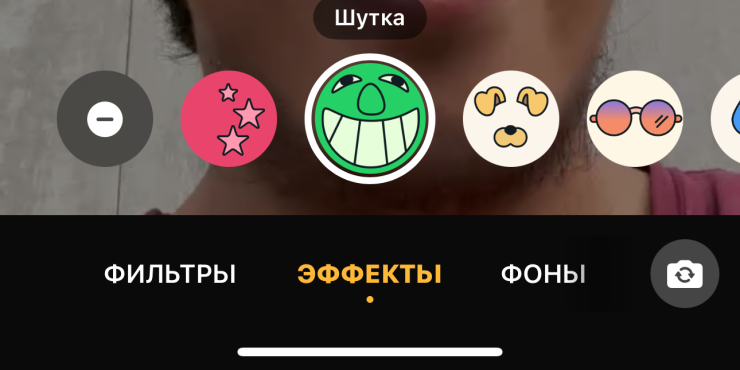
WhatsApp screenshot
In shadow or poor lighting? WhatsApp has added a special low-light mode that automatically brightens the image. It’s found under "Effects" and remains enabled for future calls unless manually turned off.
A light retouch feature helps smooth out small imperfections and gives a fresher look — especially useful at the start of the day. Activate it via "Effects" - "Retouch".
How to disable effects
For those who prefer a natural appearance, you can enable or disable the "Allow camera effects" option via Settings - Account - Privacy in WhatsApp.

